top of page

How to Attend a Class
Updated Jul 22, 2026 · 3 min read
The Quick Steps
-
Log in by entering your email and password, and select Log-in Directly to Training Management.
-
Select the day.
-
Click the + to see all classes for that day.
-
Click the class for the time that's about to start.
-
If you're not registered, you can register just before the class.
-
After registering, click on the class again to see the video link.
-
Click the video link to access the class.
Step 1 — Log in and click Login Directly to Training Management.
Visual Steps

Login page
Steps 2 & 3 — Select the day and click on the +.
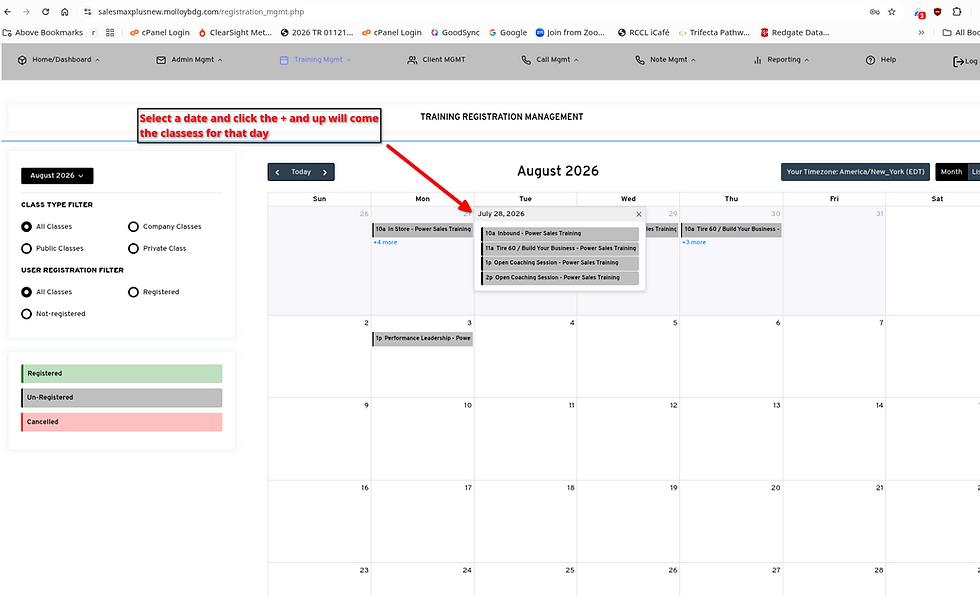
Selecting a day and viewing all classes
Step 4 — Click on the class.
Step 5 — Register if not yet registered.

Clicking on a class to register
Step 6 — If you just registered, click on the class again.
Step 7 — Click on the video link to attend the class.
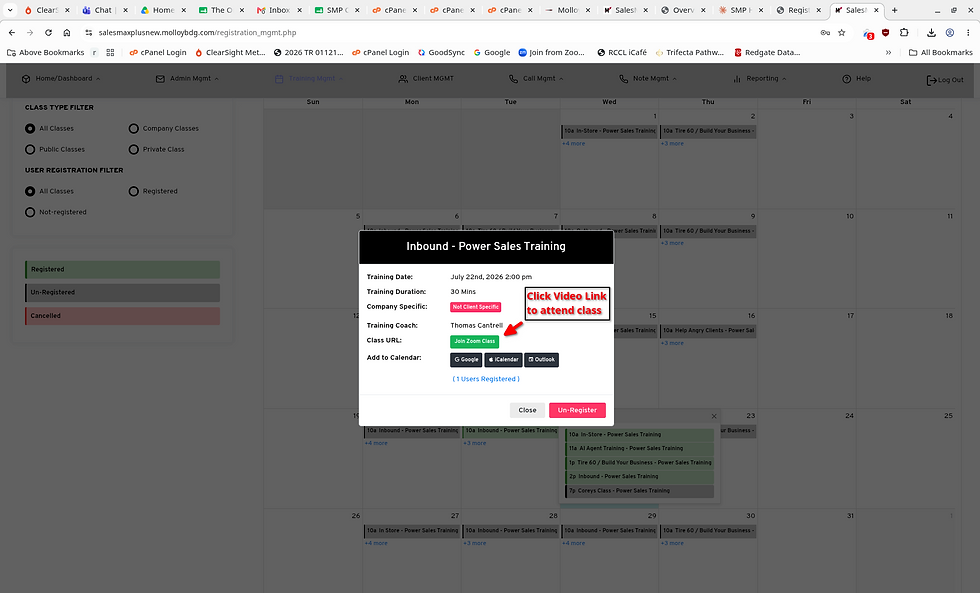
Clicking the video link to attend
bottom of page